
龙虾-使用记录
文档:https://docs.openclaw.ai/zh-CN
教学:https://www.bilibili.com/video/BV1TpAZzeEiZ/
原理
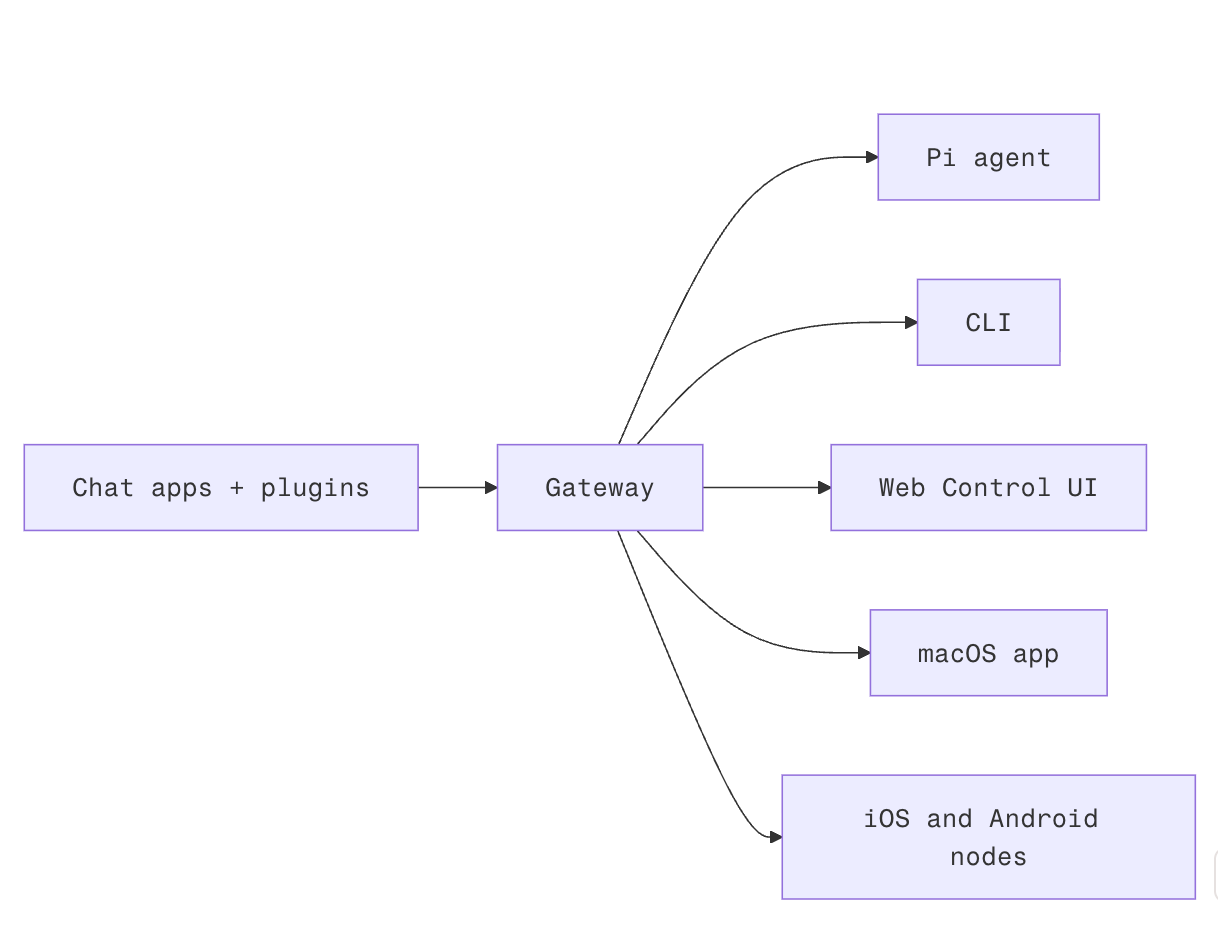
Gateway 网关是会话、路由和渠道连接的唯一事实来源。
启动
安装:
// 更推荐npm这种方式,便于管理
npm config set registry https://registry.npmmirror.com
npm config get registry
npm install -g openclaw@latest
openclaw onboard --install-daemon	// 安装后台守护进程(开机自启)
重启:
openclaw gateway status   # 查看状态
openclaw gateway start    # 启动
openclaw gateway stop     # 停止
openclaw gateway restart  # 重启
使用
本地访问网址:http://127.0.0.1:18789/
配置skill
官方工具库:https://clawhub.ai/skills
clawhub install "find-skills"安装第三方工具:https://github.com/vercel-labs/skills
npx skills add https://github.com/vercel-labs/agent-skills/tree/main/skills/web-design-guidelinesApi-key:
Search:
	https://app.tavily.com/home
Ai[推荐kimi2.5,听说省钱]:
	https://platform.moonshot.cn/console/account
配置channel
飞书:
https://open.feishu.cn/?lang=zh-CN
事件回调:
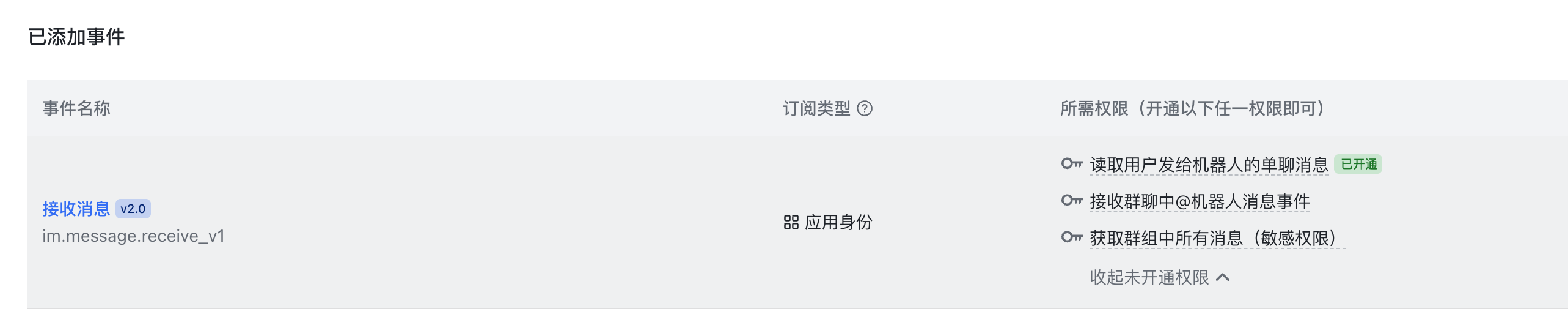
权限:
{
  "scopes": {
    "tenant": [
      "im:chat.members:bot_access",
      "im:chat:readonly",
      "im:message",
      "im:message.p2p_msg:readonly",
      "im:message:readonly",
      "im:message:send_as_bot"
    ],
    "user": []
  }
}
注意
openclaw默认没有开启读取,写入文件的skill,json文件把messaging改成full就行
版权所有
版权归属:HuiXiaHeYu